Know what the chart just did, and how that call has played out before.
OdinAdvisor reads your chart bar by bar and shows every call-out with its own record. OdinTrend puts the entry, the stop and three targets on the chart. OdinGuard holds the limits you set. One subscription covers everything we make. It is software, not advice, and it makes no promises about what the market will do.
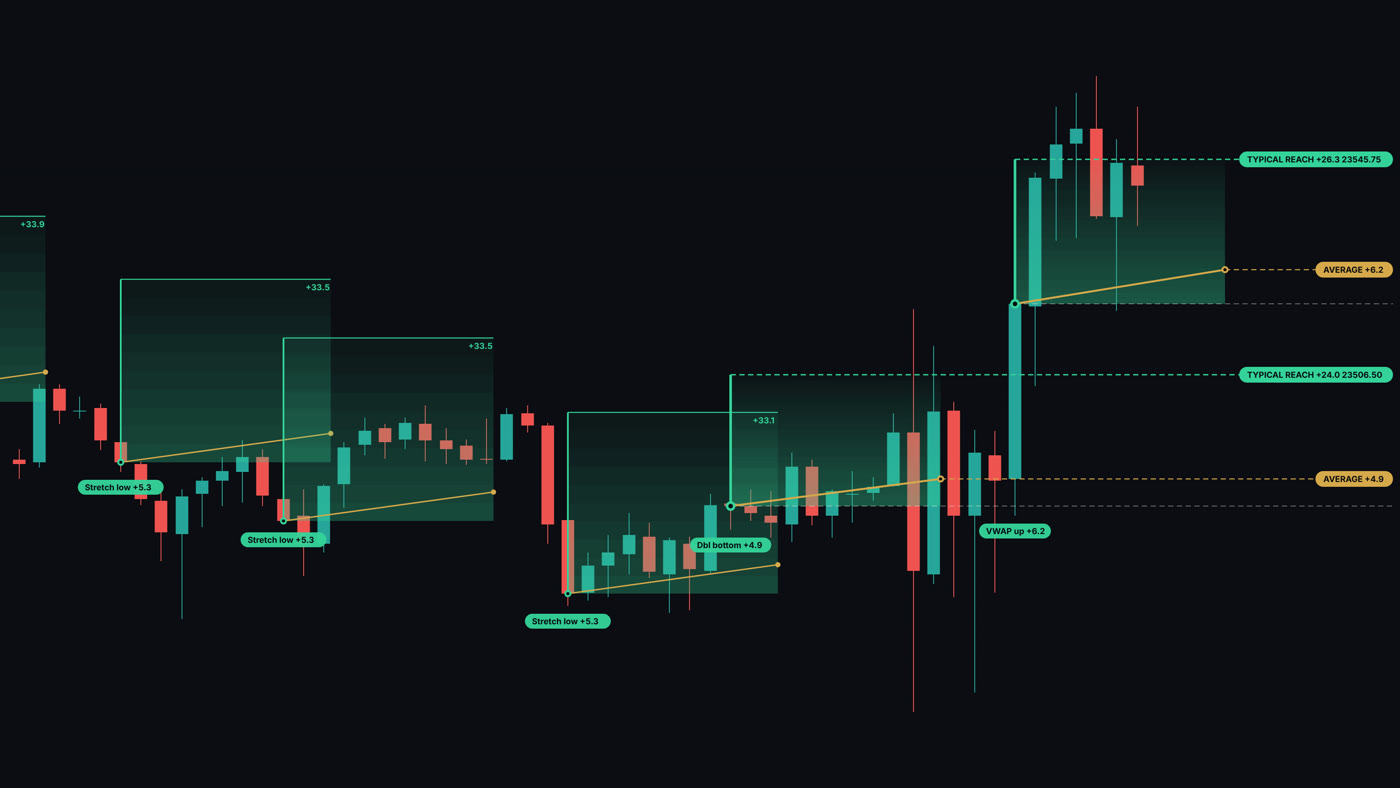
OdinAdvisor on a five minute chart. A look back at bars already printed. Past results do not promise future results.
Every rule is a setting
Sessions, entries, stops, targets and safety limits are all on the settings panel. Set a limit to 0 and it is off. Nothing runs that you cannot see.
Costs counted
The scoreboards in our indicators take off the commission and slippage you enter, so the figures on your chart are after costs.
You stay in control
The software runs on your computer, in your NinjaTrader, on your account. You choose the size, the hours and when it is switched on.
OdinMAX
An automated session strategy for NQ and MNQ futures on 5 minute charts. It trades the Asia and New York sessions separately, each with its own rules, and only acts when a statistical measure of trend direction is strong enough.
NinjaTrader 8NQ and MNQ5 minute chartsTwo sessionsIn the subscription
What it does in one minute
- Waits for its session to open.
- Measures the trend with a slope that ignores one-off spikes.
- Enters in that direction with a stop and a target already attached.
- Leaves early if the trend fades.
- Stops for the session after a set number of trades or losses.
Limits it can hold you to
- Most contracts in one position
- Most trades and most losing trades a day
- Daily loss limit and daily profit lock
- A pause after every losing trade
- No adding to a losing trade
- Most points against a trade
OdinGuard
Trading limits you choose with a clear head, held in place for the rest of the day. OdinGuard watches every account on your NinjaTrader. A limit can be made stricter at any moment. A looser one only starts at the next daily reset.
NinjaTrader 8Any futures marketEvery accountIn the subscription
OdinAdvisor
Reads your chart out loud in plain English as each bar closes, and shows the receipts: beside every call-out, how often that call-out was followed by a move its way on the chart in front of you, after costs.
NinjaTrader 8Any futures marketAny chartIn the subscription
What a line looks like
09:35 Bullish engulfing bar (reads up).
Here: 5,180 times, went its way 51%, average -0.3 pts.
An example of the wording, not a result. The numbers on your screen come from your own chart.
OdinTrend
Buy and sell signals with the stop and three targets already drawn, and a scoreboard on the chart that shows what those signals did in points and dollars after costs.
NinjaTrader 8Any futures marketAny chartIn the subscription
On the chart
- BUY and SELL signals, fixed at the bar close
- Stop and three targets drawn with their prices
- Alerts for the signal, each target and the stop
- Every signal scored after commission and slippage
- Older half of the chart against the newer half
- The trend on bigger charts at a glance
- Dollars at risk turned into contracts
What we will not tell you
That you will make money. No one can know that, and any tool that says otherwise is selling you a story. OdinQuant does not publish win rates as promises, income claims, countdown timers or reviews we wrote ourselves.
What you get is software that follows its rules exactly and settings that are all in the open. The decision to trade, and the risk, stay with you.
Indicators
Chart tools built the same way as OdinMAX are on the way, starting with a session volume profile that shows buying and selling inside every price row.
Questions first?
The FAQ covers what you need to run OdinMAX, OdinGuard, OdinTrend and OdinAdvisor, how buying works and what the software can and cannot do.